
Text to Speech Software for Education
Comprehension holds when students see the text and hear it at the same time. ReadSpeaker adds that voice to the courses, textbooks and assessments you already publish, inside the platform you already run.

Increase student engagement
Meet accessibility and accommodations compliance standards
Provide literacy support
Improve learning results
Trusted by over 1,000 education institutions in 70 countries.


















Showing logos, group 1 of 3
Engage students in any educational setting
 K12Help students stay at peer level, and improve literacy skills, comprehension, motivation, and self-esteem with assistive technology for education. Audio plays a vital role in IEP and 504 plans.Learn more about K12
 Higher EducationAttract and retain students by improving accessibility and supporting diverse learners, helping them complete their coursework.Learn more about Higher Education
 AssessmentsAccommodate the needs of test takers and level the playing field for exams, tests, quizzes, and assessments. TTS tools contribute to improved scores.Learn more about Assessments
 Workplace TrainingEnsure that all employees have equal opportunity to successfully complete their professional training or assessment. TTS tools provide a better training experience.Learn more about Workplace Training
 Correctional InstitutesSupport neurodiverse and multilingual incarcerated learners and juvenile offenders to improve learning results and reduce recidivism. TTS tools help meet accommodations needs.Learn more about Correctional Institutes
TextAid has proved an invaluable addition to our classroom learning. We have seen growth in our young individuals as TextAid has supported their independent learning.
Jenny CromeySpecial Education Needs Coordinator at Stafford Prep

Stafford Grammar School
ReadSpeaker is a great product but because of the amazing quality service you provide, ReadSpeaker is unmatched and the best product on the market!
Chris FossumAccommodations Specialist, Northland Community and Technical College
Northland Community and Technical College
We want to be a true game-changer, providing affordable, career-aligned learning experiences that empower learners to graduate into a job with little to no debt. With ReadSpeaker and Brightspace, we’re on this path to be transformative.
Dr. Andy SheanChief Learning Officer, Penn Foster Group

Penn Foster Group
When we transferred our exams to digital form, we saw that as an opportunity to add a text-to-speech technology to our exams, so all examinees have the same options when it comes to listening to the exams. The team from ReadSpeaker was always happy to help, were quick to reply to requests and were thorough in their follow-ups. The result is a successful one that has been very useful for our examinees.
Margrét Birna BjörnsdóttirDrivers Education Specialist, Icelandic Transport Authority

Icelandic Transport Authority
Constructiv organises digital exams via assessmentQ for construction workers who often have enough knowledge, but who get nervous when they can only read the questions on a screen. Because of the possibilities offered by ReadSpeaker, in combination with assessmentQ, people will be able to demonstrate what they have to offer.
Willem Van PeerConstructiv (assessment by Televic Education)
Constructiv
The integration of ReadSpeaker SpeechMaker was seamless. We encountered no issues, and the tool was straightforward to use. This ease of implementation has allowed us to focus on content creation rather than troubleshooting.
Gemma LesterhuisOwner of LT&C and Moodle LMS Specialist

Lesterhuis Training & Consultancy
This function is really very pleasant to listen to. This helps a lot with keeping concentration longer while reading my report.
Student at TU Delft

TU Delft
ReadSpeaker allowed Lumina Foundation to enable our entire website text with speech in a matter of minutes. Implementation of the software was simple thanks to ReadSpeaker’s clearly written documentation and support staff. The natural vocal delivery was a pleasant surprise. ReadSpeaker’s linguists even worked with my staff to perfect some difficult-to-pronounce proper names on our site. I couldn’t be happier with the product or the service we received.
Juan Kiko SuarezVice President of External Affairs, Lumina Foundation
Lumina Foundation
Trainees can listen, translate, highlight, and review content in ways that best support their professional learning journey. It is designed for a diverse community of educators and authentic learning experiences, not merely for technical compliance.
Amjad Abu HilalSenior Technology & eLearning Manager at QRTA

QRTA
Feedback on the project has been overwhelmingly positive. Major players in the construction industry are now expressing a clear need for oral content translation to effectively train non-French-speaking audiences.
Frédéric CarlierManaging Director at TP D'Avenir.

TP D'Avenir
Get a full suite of reading, writing, and studying tools
Learn more about ReadSpeaker for platform integrations or ReadSpeaker TextAid for individual literacy support.
Options for Selected Text
Listen to or translate selected text or look up words
Settings
Personalize highlighting colors, keyboard shortcuts, and more
Reading Voice
Choose the voice your content is read in
Keyboard Mode
Operate every feature with keyboard shortcuts
Click and Listen
Click on text to have it read aloud
Enlarge Text
See the text being read in a larger font
Text Mode
Read distraction-free in your preferred font, size, and colors
Page Mask
Read along as you listen with a moveable focus bar
Download mp3
Download audio for offline listening
Translation Help
Read how your text can be translated
Help
Easy-to-understand instructions for all features
Bundle robust TTS capabilities with related learning tools to make your content interactive. Our cloud-based online tool allows users to:
Highlight words as they are spoken
Listen to all types of text files
Look up more information on a text subject
Remove images for distraction-free learning
Mask surrounding text to focus on a single line
Translate words between languages
Resize the visual appearance of text with a Click or a Tap
Integrate seamlessly into any learning management system or learning environment
Instantly create an audio version of courses, SCORM packages, textbooks, assessments, STEM content, research, training materials, personal documents, and more, allowing learners to listen while following along with the highlighted text. See LMS and Platform Integrations.
Personal Reading Support
An easy-to-use tool especially designed for those with reading difficulties and language learners. Learners can listen to audio while following along with the highlighted text and use the learning tools for a more accessible learning experience.
Create Audio Files and Voiceovers
Create audio files that can be used on or offline, as voiceovers, integrated into a learning management system, deployed in applications or provided on-premise
Offline Reading
Whether for learners with digital equity issues, no Internet, or in a rural setting, or for reading complex assessments in a locked browser, SpeakUp is an easy-to-access application allowing for offline reading of documents on Windows devices.
Provide inclusive content and translation functionality to multilingual learners
Speech enable all your education materials in one or more of 90 languages. Any of our 300+ lifelike voices can be perfectly matched to your learners’ dialect and accent.
90+ languages
Every major language, with the regional varieties your audience actually speaks.
300+ voices
Warm, bright, calm or energetic: a voice for every style your brand and your listeners prefer.
60+ countries
Reach every market in the language and accent it speaks.
See how students and teachers are using TTS assistive technology tools
A complete set of assistive technology tools for all needs in education, whether campus-wide or individually focused
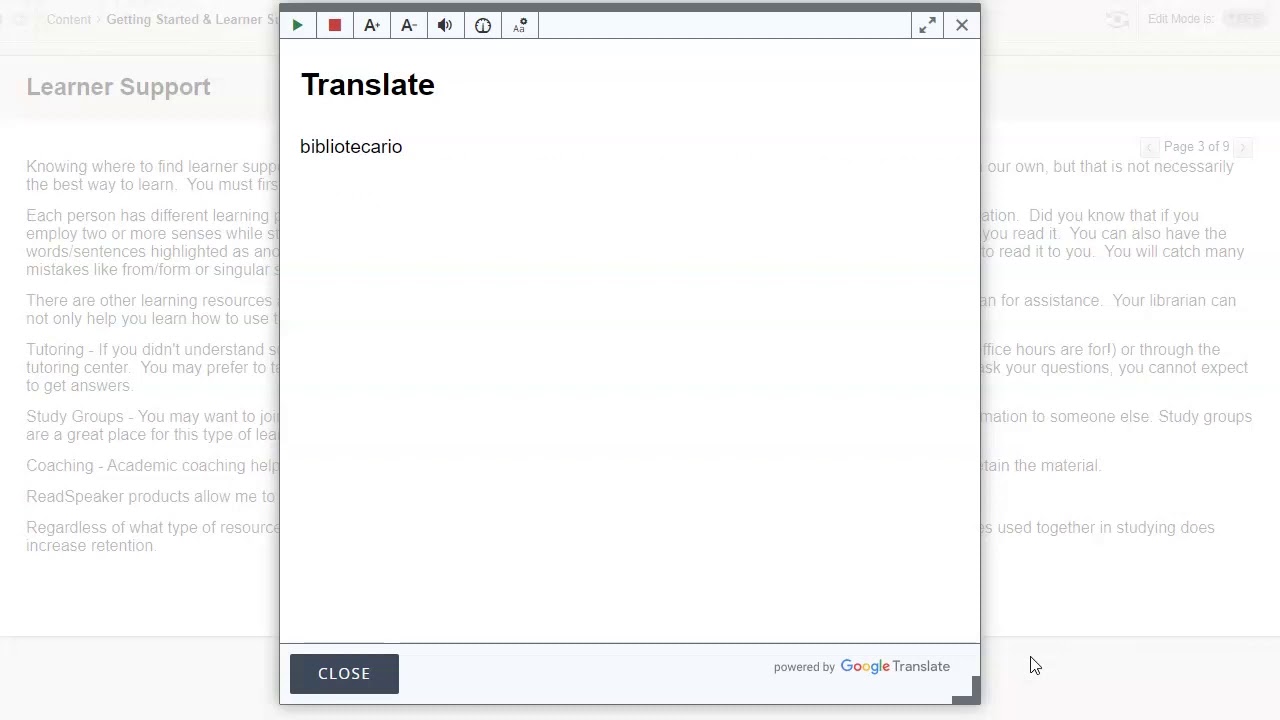
Complete set of learning tools
- Multiple reading and translation languagesListen to our natural-sounding voices in a wide variety of languages.
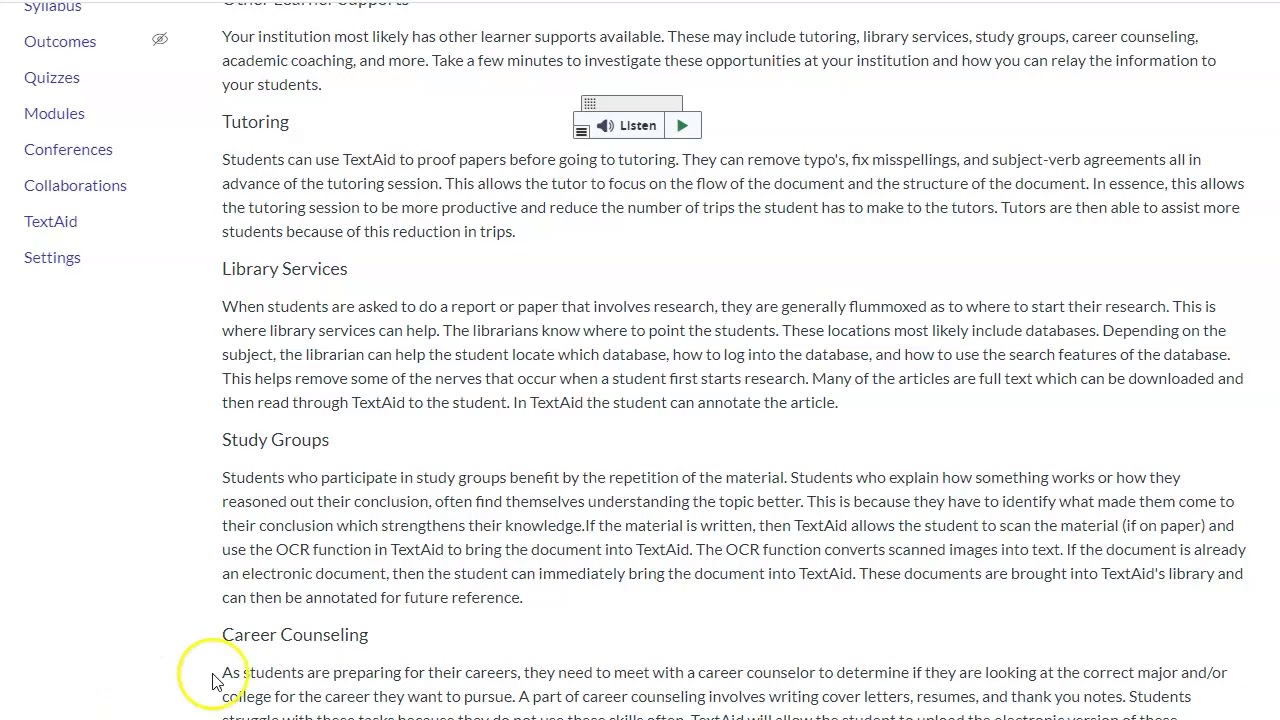 Research toolsLook up words or text on Wikipedia or perform a web search directly in the interface.
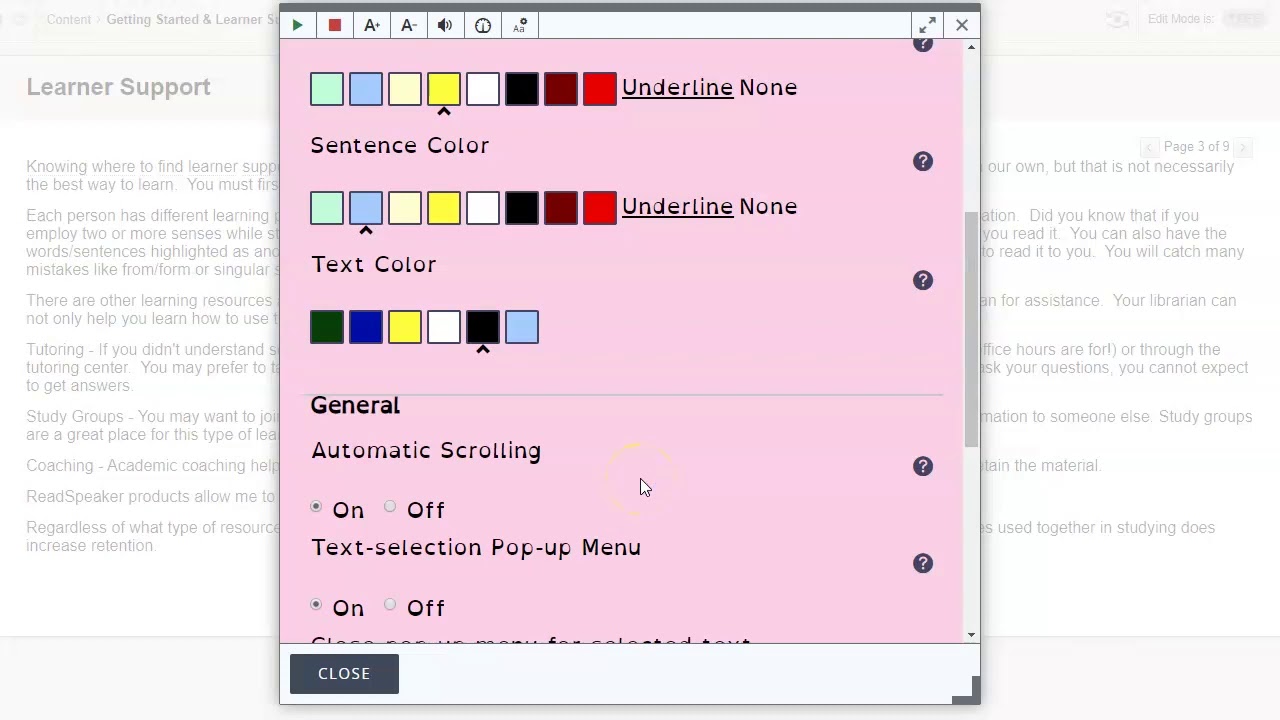 Personalized settingsPersonalize voice, text settings, reading speed, text color, line spacing, and more.
- And more…See all you can do.
Create a voice as unique as your learning environment
Looking for a specific dialect, voice style, or institutional branding? ReadSpeaker’s digital voice design team can develop unique human voices for your needs.
FAQs about Text to Speech in Education
Text to speech, or TTS for short, converts text into spoken voice output. Text-to-speech systems offer AI voices that “read” text to the user. When applied to an e-learning environment, TTS essentially adds an audio component to learning materials, reading aloud key points, or even entire sections of written text.
Text-to-speech engines can create downloadable MP3 files of spoken text content, or provide immediate playback through your application, browser, or learning management system (LMS). Some text-to-speech tools, like ReadSpeaker’s, have additional capabilities and can, for example, highlight on-screen each word as it is spoken or allow learners to resize text for easy viewing.
Text-to-speech tools enhance online learning environments and are the simplest and most cost-effective way to integrate audio into course offerings (versus the alternative, which is hiring a professional voice actor).
The “best” text-to-speech tool is the one that enhances your intended learning experience! However, free text-to-speech tools don’t always have the flexibility or robust features to support learning within and across platforms. Any TTS technology tool you’re considering should have the following to ensure it’s a worthwhile investment:
- Accurate pronunciation. Pronunciation quality is crucial in assistive technology tools that support struggling readers. ReadSpeaker’s TTS voices have been rated the most accurate on the market; we also offer customizable pronunciation dictionaries.
- Literacy support features. Some TTS tools are bare-bones while others offer read-along highlighting, resizing text, page masks, and more. ReadSpeaker bundles its TTS capabilities with a range of robust learning tools to help students personalize text consumption.
- Multilingual capability. Any TTS tool should be capable of speaking many different languages to support learners across the globe, if necessary. ReadSpeaker offers more than 110 true-to-life TTS voices in over 35 languages, from English and Spanish to Arabic, Mandarin, Danish, and more.
- High-quality voices. Poor voice quality leads to an unpleasant learning experience, which leads to less usage. ReadSpeaker’s proprietary machine-learning models allow us to create warm, lifelike synthetic voices that listeners prefer.
For learners who struggle with reading, TTS learning tools have been shown to improve reading comprehension, information retention, and decoding (the process of matching letter combinations to audible sounds). And among higher education students, it minimizes widespread reading and writing problems. These benefits build students’ confidence in their reading skills and create a more positive view of reading, setting the stage for a lifetime of learning. TTS also provides powerful educational assistance for students with vision impairments, dyslexia, and other disabilities, and helps second-language learners who are working to integrate written and spoken expressions in a new tongue.
But text-to-speech software isn’t just a powerful assistive technology for those in special education; it’s a comprehensive education technology, one that can benefit all learners. Audio support is increasingly being used by people who are studying a second language, consuming a large quantity of content, multitasking, or, as many online students are, simply looking for some relief from screen fatigue. TTS can address all of these use cases and more!
It’s surprisingly easy to implement and use text-to-speech tools. Implementations are often just plug-ins or lines of code that take a minimum of staff hours to implement and maintain. With building blocks and plug-ins, ReadSpeaker‘s own text-to-speech technology can be integrated directly into any learning management platform, including Canvas, Brightspace, Blackboard, Moodle, and more; most major LMS providers even offer specific integrations that simply have to be turned on. Online learners can then instantly listen to course content with just the click of a button.
ReadSpeaker can also be added to assessment platforms, allowing you to create accessible tests, quizzes, and assignments that meet accommodations requirements. Our text-to-speech plug-in can read aloud all types of assessments, even math and STEM assignments, leveling the playing field for all learners, including those with reading disabilities.
No matter how your content is presented online, web pages, LMS, e-books, or anywhere else, our text-to-speech voices are easy to integrate so your users can listen to them on any device.
This depends on the TTS tool you choose. With ReadSpeaker, your learners can access natural-sounding TTS voices wherever you provide learning material online, including:
- LMSs, digital learning platforms, and assessment platforms. We integrate with most major providers to make the process easy for you.
- Online documents. Our cloud-based tool, docReader, displays and reads aloud online documents in a variety of formats, including PDF files and Microsoft Word docs. It works with all iOS devices and newer Android devices.
- Web pages. We offer a Chrome extension and a Microsoft Edge add-on for ReadSpeaker TextAid, which gives learners the ability to listen to web pages and follow along with highlighted text.
Yes! ReadSpeaker offers an offline TTS solution called SpeakUp for learners with digital equity issues, no Internet, or in a rural setting. It also works well for reading complex assessments in a lockdown browser on Windows devices.