Text-to-Speech Learning Tools
Text-to-Speech Solution for aNewSpring
ReadSpeaker provides quick and easy integration of text-to-speech learning tools into the aNewSpring environment for enhanced accessibility and inclusion. Learners have easy access to audio for all content within the learning environment.
- Support learners with disabilities and learning difficulties
- Read any content out loud, on any device
- Make training initiatives engaging
- Improve employee performance

Highlights
- The ReadSpeaker integration is quick to enable, and easy to use.
- Decide per course what language to use, and whether the listen button should be added.
- Accessibility and accommodations support for online training directly within the aNewSpring environment.


Synchronized Highlighting: The text is highlighted by word and/or sentence as it is being read.
Text Mode shows the content in an easy-to-read format, using font, size, and colors of your choice.
Integrated reading and translation tools.
Audio File: Download an mp3 audio file of the content for offline listening.
Just one click to listen and follow along with the highlighted text.
Read Selected Text: Select any text and click the Listen button to listen to it.
Floating Listen button, player, and menu stay visible when scrolling down on a page and can be conveniently repositioned by the user.
User Settings: Customize reading speed, highlighting colors, and more.
Click and Listen allows users to use the mouse to click on the text that should be read, or use the keyboard to navigate to and select the text section to read.
Quick and easy access to all features through expandable player and menu.
Fully Cloud-Based: No installation required to use ReadSpeaker in aNewSpring.
Customer-specific pronunciation dictionary.
Online Statistics: The ReadSpeaker Customer Portal contains detailed usage information, including which pages have been listened to, and when.
Customize the menu by removing tools not suitable for your learning environment.
A complete set of text-to-speech learning tools for aNewSpring
ReadSpeaker Text to Speech is easy to install in the aNewSpring environment.
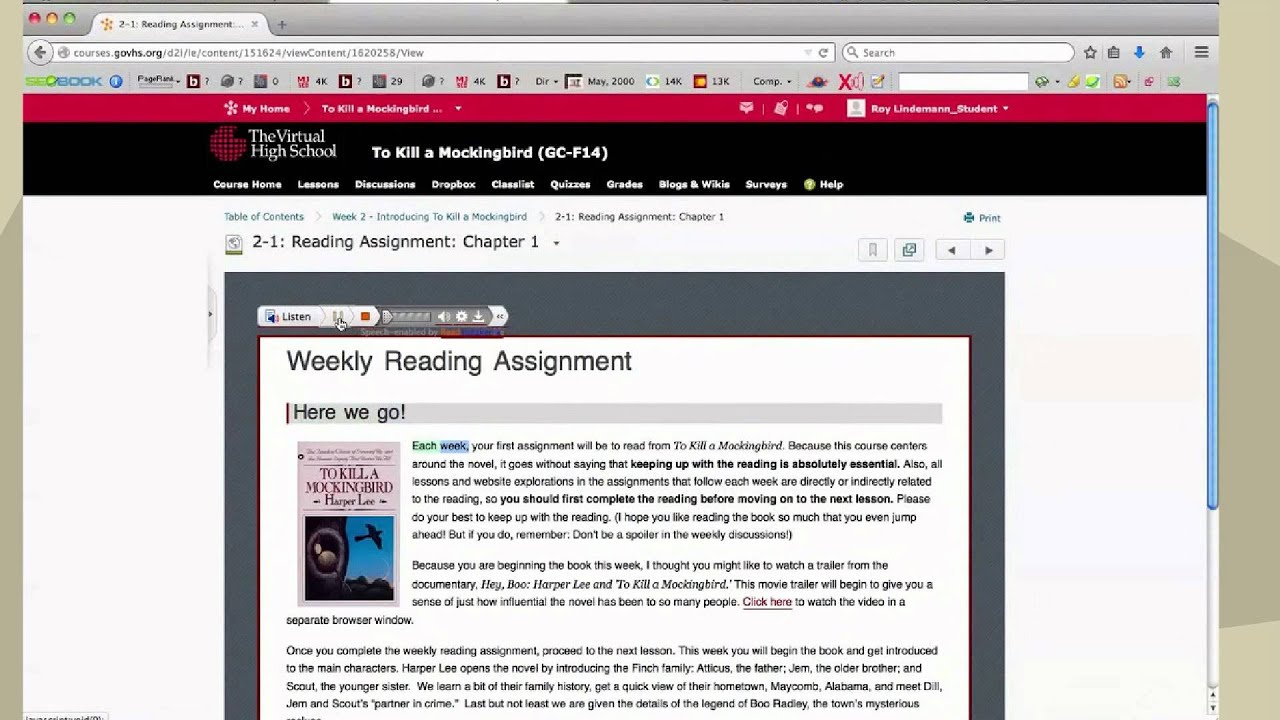
ReadSpeaker for aNewSpringWatch More
FAQ about aNewSpring TTS
Accessibility for the aNewSpring learning environment ensures that content is accessible for all students, including students with disabilities and learning difficulties. ReadSpeaker webReader’s suite of speech-enhanced learning tools provides all students with the opportunity for additional support, minimizing learning barriers and increasing autonomy.
Using ReadSpeaker for aNewSpring gives learners a second way of learning. With just one click, learners can listen to text as it is read out loud to them, supporting comprehension, retention, and inclusivity.
ReadSpeaker text to speech is pre-installed in the aNewSpring learning environment, and administrators need to simply contact aNewSpring with their customerID to turn it on.